

WordPress Carousel
Create a WordPress carousel with FooGallery Free. Display photos in a horizontal row that visitors can browse with arrows or navigation dots.
Choose overlapping images or evenly spaced thumbnails.
Let photos advance automatically or leave browsing to visitors.
The Carousel layout is included in FooGallery Free.

Free included
100K active installs
4.8 / 5 rating
980+ reviews
Try the FooGallery carousel gallery
Use the arrows or dots to browse each carousel. On a desktop? Try the phone icon to see how the gallery fits a smaller screen.
Carousel Demo 1 : Overlapping images with autoplay












Device preview switcher available on desktop devices
Carousel Demo 2 : Evenly spaced images with manual navigation
Device preview switcher available on desktop devices
Create your own WordPress carousel
Install FooGallery Free, add your photos and choose the Carousel template. Follow the setup guide to adjust the thumbnail size, spacing and autoplay.
Included in PRO Starter
Mobile Gallery Settings
Choose a different maximum number of carousel images and different gaps or overlap on phones. You can also show or hide the navigation arrows and dots separately for mobile.
These demos show how the mobile view can be customized differently to desktop. The Carousel layout itself remains free in FooGallery.
Who this is for?
Show more photos in a compact space
Let visitors browse a photo collection horizontally without scrolling through a long grid.
- HomepagesShow recent work or featured photos alongside your main content.
- Product pagesLet visitors browse product angles, examples or customer photos.
- Landing pagesShow a sequence of project or event photos in one row.
More FooGallery features
Explore more ways to style your galleries and display your photos, with a working demo for each feature.

Animated Hover Effect Presets
FooGallery Pro Starter comes with a selection of pre-styled hover effects. These unique hover presets save you from having to style your own and add a unique style to your galleries.
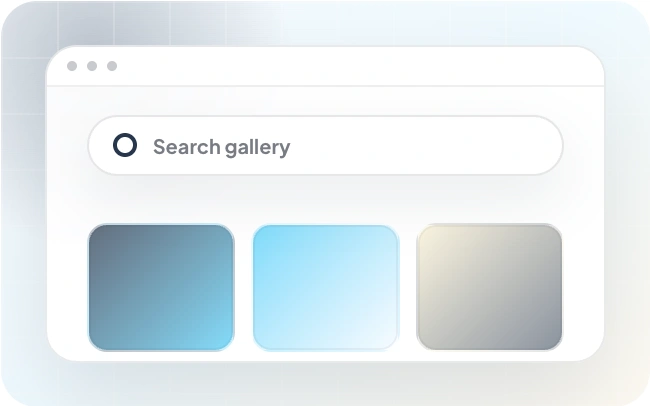
Gallery Search
Improve user experience with WordPress photo gallery search! FooGallery PRO searches gallery photos to find what you're looking for quickly.

Mobile Gallery Settings
Compare inherited desktop values with mobile-specific FooGallery PRO overrides and a live phone preview.
Frequently Asked Questions
A WordPress carousel gallery displays photos in a horizontal sequence. Visitors use arrows or dots to move through the images, and optional autoplay advances them automatically. FooGallery lets you overlap and scale the thumbnails or keep them equally sized.
Yes. The Carousel layout, including autoplay, image scaling and navigation, is included in FooGallery Free. Separate Mobile Gallery Settings require PRO Starter. You can compare PRO plans if you need those extra controls.
The Slider PRO layout displays one large image with a thumbnail strip for navigation, without opening a lightbox. Carousel moves through a row of thumbnails, which can open full-size images in a lightbox.
Yes. Set the thumbnail dimensions, maximum visible items, gaps or overlap, image scaling and autoplay timing. You can also adjust borders, hover effects and captions. The Carousel setup guide explains these options. Carousel uses navigation dots rather than gallery paging.
Install FooGallery Free, create a gallery and add your photos. Choose the Carousel layout and save the gallery. In your page or post, add a FooGallery block and select your gallery, or paste it’s shortcode into a Shortcode block. Follow the Carousel setup guide to adjust the layout and navigation.
Yes. Add text to your images in the Media Library or through Manage Items in the gallery editor. In the gallery’s Captions settings, choose which fields supply the title and description, then use Hover Effects to control when captions appear. Standard captions are included in FooGallery Free; advanced custom caption templates require PRO Expert or Commerce. See the caption settings guide.
Yes. Enter a destination in each image’s Custom URL field, then set the gallery’s Thumbnail Link option to Custom URL. This lets a photo link to a project, product or other page instead of opening the full-size image. If Center on Click is enabled, clicking a side image brings it to the center first; click the centered image to follow its link.
Yes. Set Thumbnail Link to Full Size Image and choose an available lightbox in the gallery settings. Visitors can then open the larger image without leaving the page. In the first demo above, Center on Click brings a side image to the center before a second click opens it. The second demo opens the image directly. See the FooGallery lightbox guide for setup options.
Start free
Build this gallery with FooGallery Free
Install FooGallery Free, add your photos and choose the Carousel template to create your own WordPress carousel.