
Did you know that 61% of visitors will leave your website if they don’t find what they’re looking for within 5 seconds? Without an effective way to keep customers on your site for longer, you could be losing out on a large percentage of your revenue.
Exit-intent popups are one way to mitigate the risk of a visitor leaving your site, and potentially move them into your marketing funnel instead. Triggering a popup when someone is about to leave your site provides a way to increase interest and entice potential customers to make a purchase or follow-through with some other desired action.
In this article, we’re going to explain what exit-intent popups are, how they work, and give you some actionable tips to create high-converting exit popups on your WordPress site.
Understanding Exit-Intent Popups for WordPress
Exit-intent popups are a valuable tool, as they provide a last chance to engage visitors. They use exit-intent technology that detects when a user is about to leave the site, and deliver a personalized message to encourage them to stay. A useful feature of these popups is that they can be tailored to your WordPress site’s style, audience and for the specific page they’re on. Here’s an example:
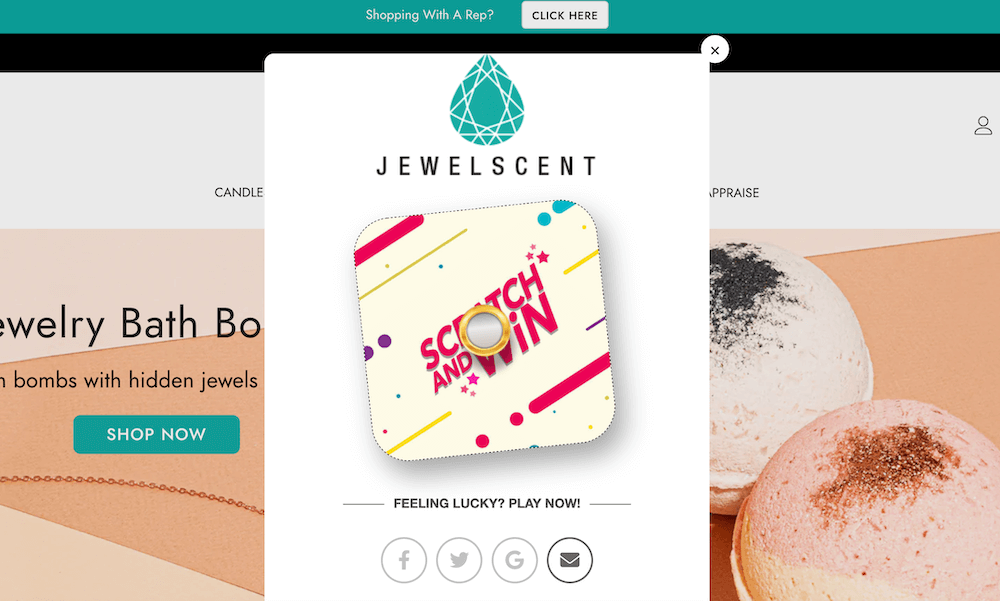
Exit-intent popups can be particularly beneficial in the following ways:
- They have the potential to retain up to 15% of users, and can even be used to convert a portion of those searches to your email sign-up list or other event on your site, such as by clicking through to a special offer.
- WooCommerce stores can also benefit greatly as cart abandonment, which is over 70% on average, is the main source of lost WooCommerce revenue. These popups provide a final enticement for potential customers.
- They can also work to boost website engagement in general, which can help improve customer loyalty and long-term growth.
However, it’s important to remember that any popups you create should be non-intrusive, while still aligning with your WordPress site’s design and your audience’s expectations. A plugin like FooConvert can make it easy for you to implement this type of valuable exit-intent popup without coding.
Introducing FooConvert: The Ultimate Exit-Intent Solution
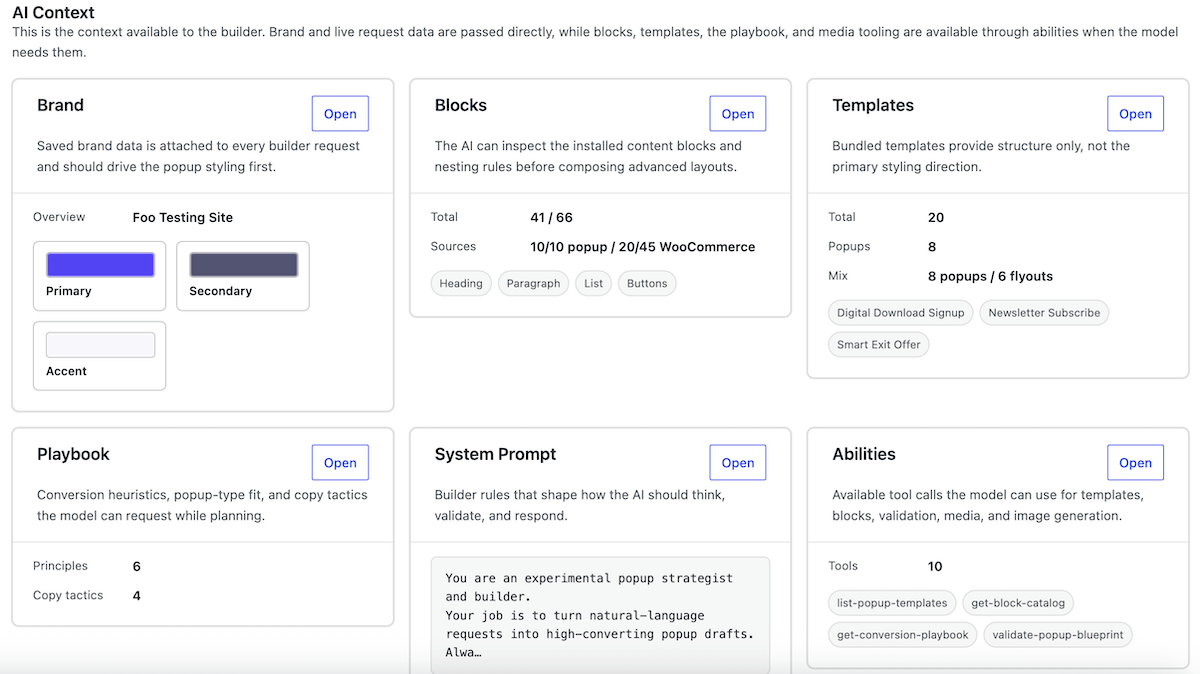
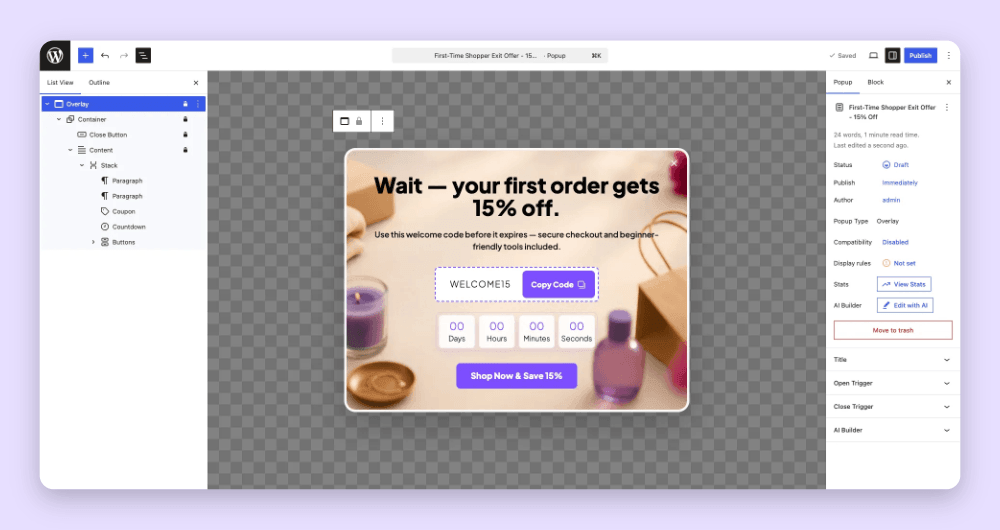
FooConvert focuses on improving conversions, using different popups and triggers, making it the ideal solution for crafting unique exit-intent popups on your WordPress site. FooConvert comes with various blocks such as countdown timers, CTAs, Click-to-copy coupons and more, which you can tailor to suit your audience and brand. Alternatively, the AI Builder in FooConvert can build you the popups you need, like in the example below.
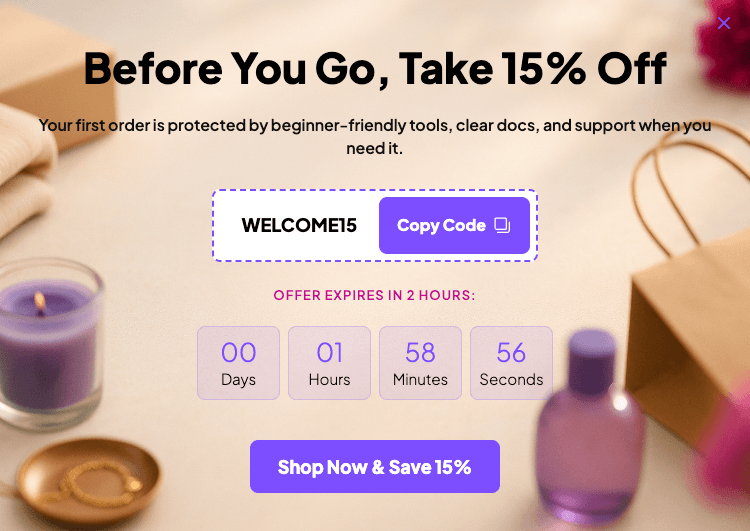
Importantly, with FooConvert you can choose how and when each popup is displayed. The different visibility settings allow you to select which locations, and which users, will be able to see your popups, bars or flyouts. You can also choose when they see it, by setting the trigger for the block, such as when the user has scrolled through a set percentage of the page or, as pertains to this topic, on exit-intent.
You can couple these features with FooConvert PRO’s WooCommerce popup options. For example, offering an exit-intent discount on WooCommerce product or cart pages can provide customers with the final nudge they need to complete a purchase. All-in-all, these features offer an ideal solution to common problems faced by website owners. With FooConvert, you can reduce bounce rates and increase conversions.
The modal popup, for example, is simple to set up and comes with a host of customization options, ensuring you can design a block that matches the look and feel of your site.
FooConvert is owned and maintained by FooPlugins. When we mention or recommend FooConvert in this article, that relationship may influence how the product is covered; product details should be checked against current documentation, demos, pricing, and release notes.
Designing Effective Exit-Intent Popups with FooConvert
You can create bars, popups and flyouts with FooConvert, and set triggers for them, depending on your needs. For exit intent, a popup is particularly useful as it is more likely to catch users’ attention and place your CTA front and center.
Here are the steps you need to follow to create an exit-intent popup with FooConvert:
- Download and install FooConvert from WordPress.org.
- In your WordPress admin dashboard, navigate to FooConvert and click on Add New Popup. A new page will open where you can select an existing template, choose to start from scratch, or click on AI Popup Builder to generate one.
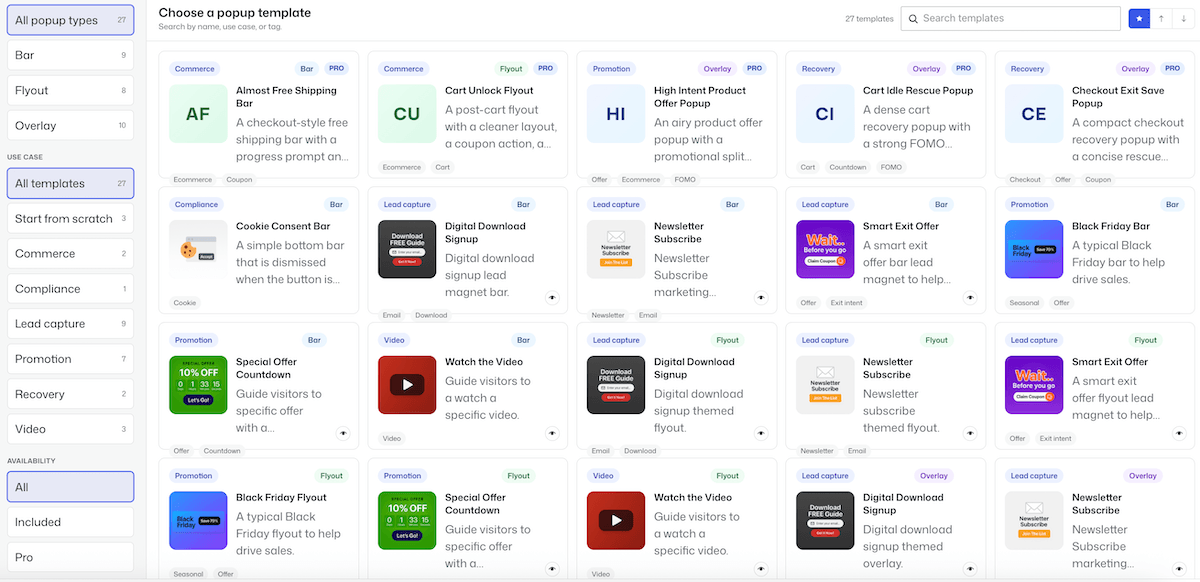
- If you select a predesigned template, simply tweak the content and design to suit your needs. Note that the WooCommerce features can be used in conjunction with your WooCommerce store, and most options (e.g. location and trigger) are set up already.
Alternatively, you can create a new popup from scratch and customize it to match the look and feel of your site. The Brand Generator can help you with this. To get started, click on the ‘+’ icon to add content – you can add text, buttons, images, or other elements, including any available FooConvert blocks, such as the countdown or coupon options. You can also customize the colors, border, radius and other visual aspects of the popup.
If you’ve selected the AI Popup Builder, you’ll need to ensure you have set up your AI Connectors. Then use one of the example prompts, or write your own in natural language and let the builder create the popup for you.
- With FooConvert, you can create multiple popups for different pages that might require different approaches to retain site visitors. You can also specify different conditions for the popup to appear, such as page scroll and/or time spent on page. To implement this, go to the popup settings and select ‘On exit intent’ from the Open Trigger dropdown. Then set the wait time – this is the length of time that a user has been on the page before the popup will appear on exit.

- Next, set the display rules for your popup (you will find these in the Popup settings). Here you can specify the location for the popup; this can be sitewide, general page-types, or more specific pages. You will also need to specify which users will be able to see the popup. For example, this could be all users, only those logged in, or users with specific roles.
- Save your changes and test your popup by navigating to your page in an incognito window. Imagine you are a casual browser who wants to exit the page, and see whether the popup feels convincing and/or it appears at the right time. Adjust and repeat!
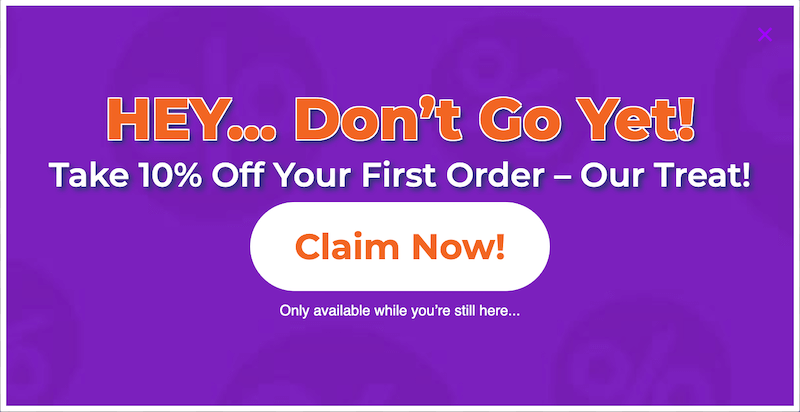
Here’s how our Exit Intent popup could look:
- It is useful to utilize A/B testing on different popups with different settings to maximize the conversion potential of your page. FooConvert PRO allows you to run multiple experiments with your popups, assess the results and auto-apply a winner once the target threshold has been met.
- Once the popup has run for a significant time (at least 7 days, and over a weekend), you can use the analytics to determine how well the exit-intent offer is performing and then adjust to get better results.
FooConvert WordPress conversion plugin
The Best WordPress Conversion Plugin
FooConvert is an easy-to-use WordPress conversions plugin, draw attention, increase sales and engagement.
Best Practices for Exit-Intent Popups
An exit-intent popup is your last chance to capture the attention of a searcher. You can utilize effective principles such as FOMO or scarcity/urgency, to create a message that resonates quickly. Because of this, it is of particular importance to ensure that exit-intent popups are relevant to your target audience, as well as the pages on which they appear.
Exit-intent popups shouldn’t be one-size-fits-all. If a visitor is leaving your product page for ergonomic office chairs, don’t hit them with a generic newsletter signup. Instead, offer a limited-time discount on lumbar support add-ons or a free PDF guide on ‘Setting Up Your Ideal Ergonomic Workspace.’ This page-specific approach can boost conversion rates significantly compared to generic popups, as it directly addresses the visitor’s immediate interests and pain points.
Tam Vincent, Content Manager at FooPlugins
The key to keeping a visitor on the site is to give them a compelling offer. Here are some best practices to consider:
- Keep the message simple and clear by explaining the offer in just one or two sentences. After all, you need to quickly convince customers to stay on your site.
- Use urgency and scarcity tactics such as limited-time offers, which can be implemented with the FooConvert’s countdown timer block.
- Craft prominent CTAs that compel the user to take action and follow your offer. FooConvert’s CTA bar provides a visually appealing, eye-catching way to display CTAs at the top or bottom of any page on your site.
- Use attention-grabbing visuals, such as images or animations, without being overly distracting. For example, a pro gallery solution like FooGallery can help with displaying beautiful, high-quality images across your WordPress site.
Take Action: Boost Your Conversions with FooConvert Today
As you know, users can very quickly decide to leave your site or abandon their cart, having a negative impact on your user engagement and your profit margin. The main benefit of using exit-intent popups on WordPress sites is that they help to retain potentially lost customers and maintain revenue from website traffic.
FooConvert provides the best solution for WordPress site owners who want to create exit-intent popups, because it integrates seamlessly with WordPress. It comes with a range of customizable templates, triggers and visibility settings. Additionally, it is quick to set up, all making it the best solution for sites that want to increase their conversions and improve user engagement with a suite of conversion-focused features.
Find out how FooConvert can help you engage customers and boost conversions.
FooConvert WordPress conversion plugin
The Best WordPress Conversion Plugin
FooConvert is an easy-to-use WordPress conversions plugin, draw attention, increase sales and engagement.